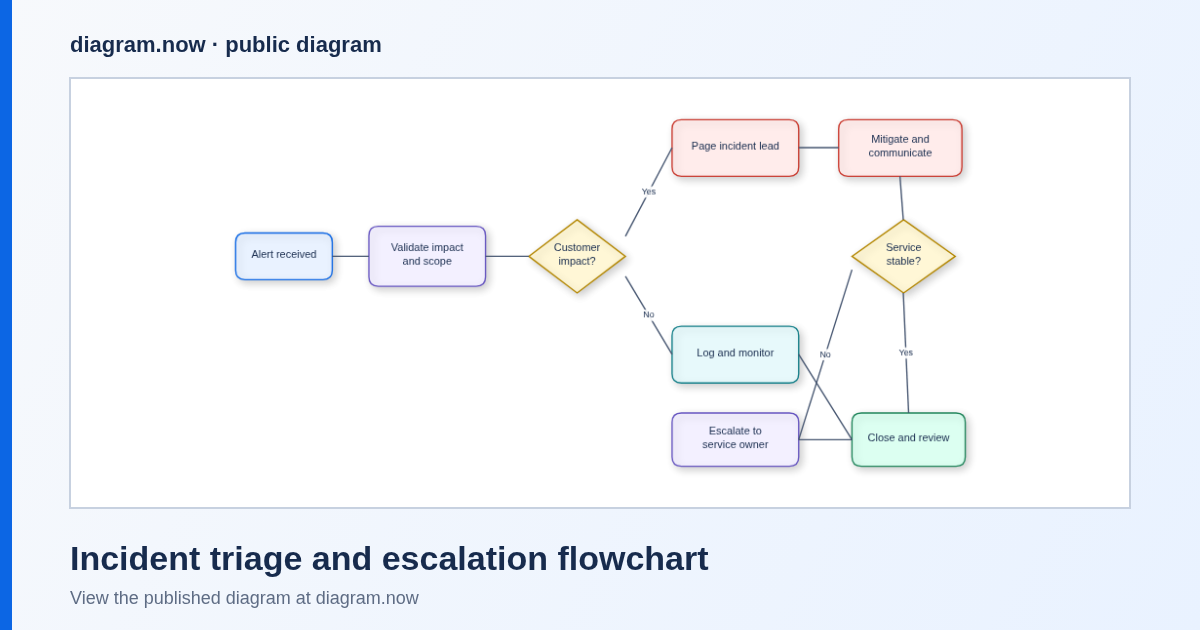
Live editable flowchartIncident triage and escalation
View example →Diagramming for Confluence Cloud
Make flowcharts, UML, BPMN, ERDs, architecture diagrams, mind maps, and wireframes on the Confluence pages your team already maintains.
Free for Confluence sites with up to 10 users
No Confluence installation is needed to try the browser editor. Atlassian Marketplace handles app installation and current pricing.
A shorter path to a useful diagram
Open the editor or inspect a real example first. Install the Confluence Cloud app only when you are ready to create and edit diagrams on Confluence pages.
Start a blank diagram immediately in the browser, without installing the Confluence app.
Use the same editor for process, software, data, infrastructure, planning, and interface diagrams.
Install from Atlassian Marketplace to create and update diagrams directly on Confluence Cloud pages.
Recorded on a real site
No mockups. We recorded this on our own Confluence Cloud test site on 27 September 2026 with diagram.now 3.0.0, then the version on Atlassian Marketplace.
/diagram.now on a Confluence page.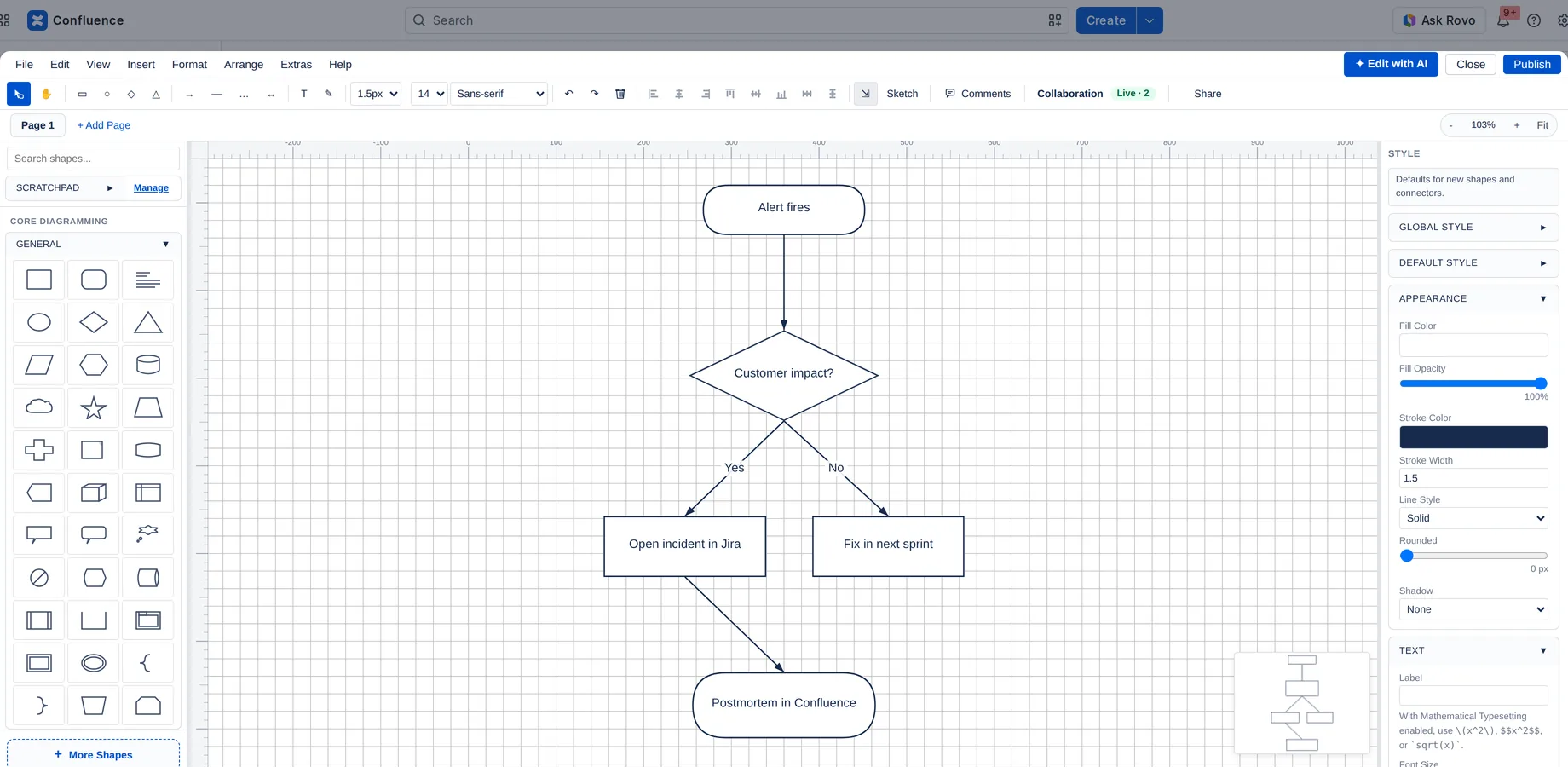
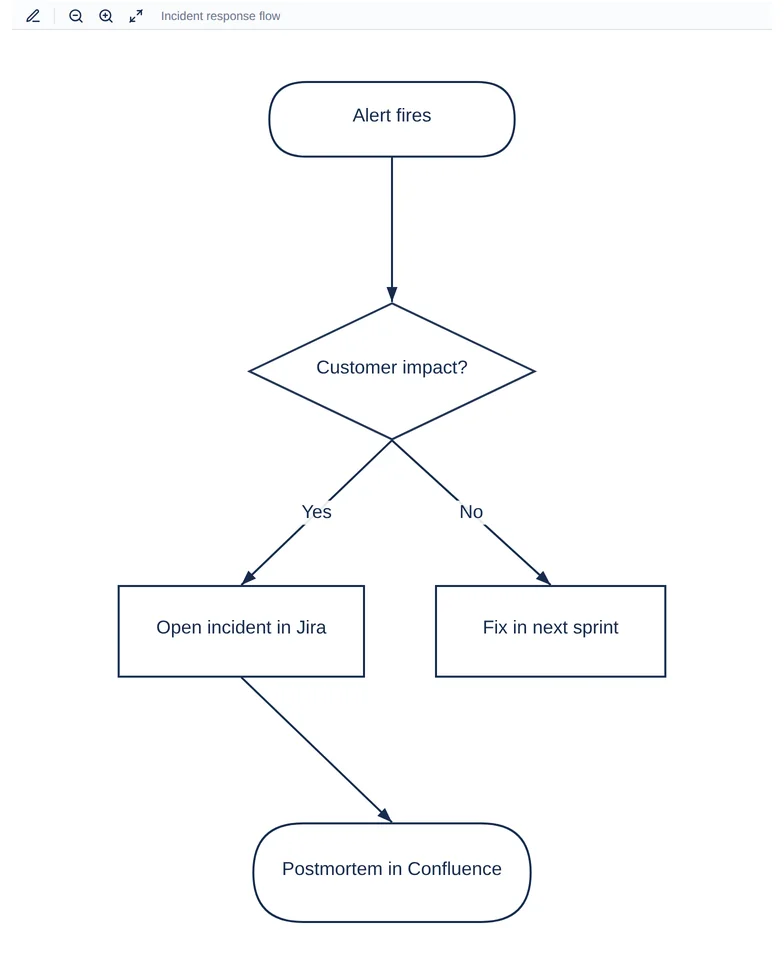
Atlassian Marketplace shows the Runs on Atlassian badge on diagram.now’s Cloud listing. Atlassian applies that badge automatically to apps that use only Atlassian-hosted compute and storage and don’t send data out of Atlassian, apart from analytics. diagram.now’s app permissions list no external domains.
Sources: the Marketplace listing · Atlassian’s Runs on Atlassian criteria
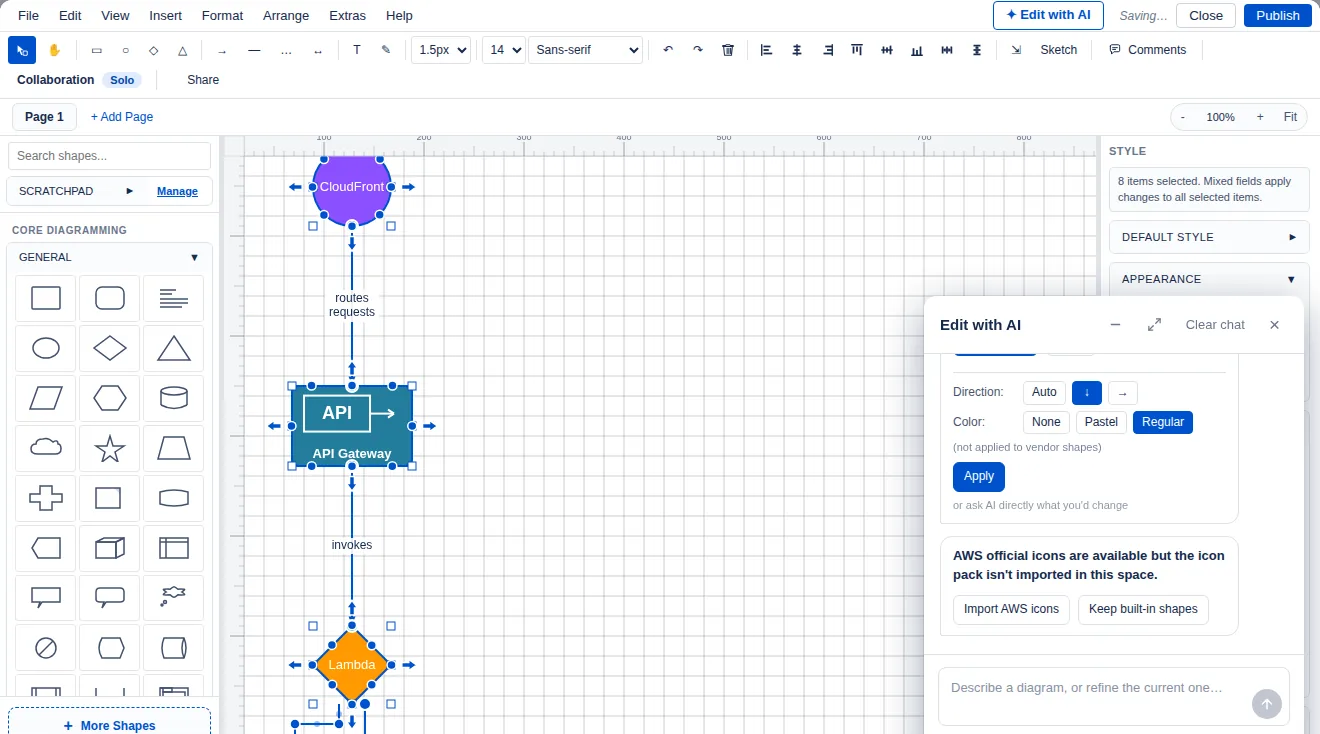
Generated on our own Confluence Cloud test site on 12 October 2026 with diagram.now 3.3.0, the version on Atlassian Marketplace. We typed this prompt into Build with AI:
“Serverless web app on AWS: CloudFront in front of API Gateway, which calls a Lambda function that reads and writes a DynamoDB table.”
About 27 seconds later, the editor showed an editable diagram: CloudFront routes requests to API Gateway, which invokes a Lambda function that reads from and writes to DynamoDB. We then published it on the page.
It calls Claude models that Atlassian hosts, through Atlassian’s Forge LLMs. Atlassian says Forge LLMs add AI features “without leaving the Atlassian platform”. diagram.now’s Marketplace listing shows the Runs on Atlassian badge for version 3.3.0, and the app’s permissions list no external domains.
draw.io’s AI models page says it “uses OpenAI, Claude or Gemini, selecting the best model based on the type of diagram you are trying to generate.” By default, “only the user’s text prompt is sent to the AI provider (Anthropic)”; diagram data is sent only when you attach it. The AI is “disabled by default in Confluence, and must be explicitly enabled per Confluence instance.”
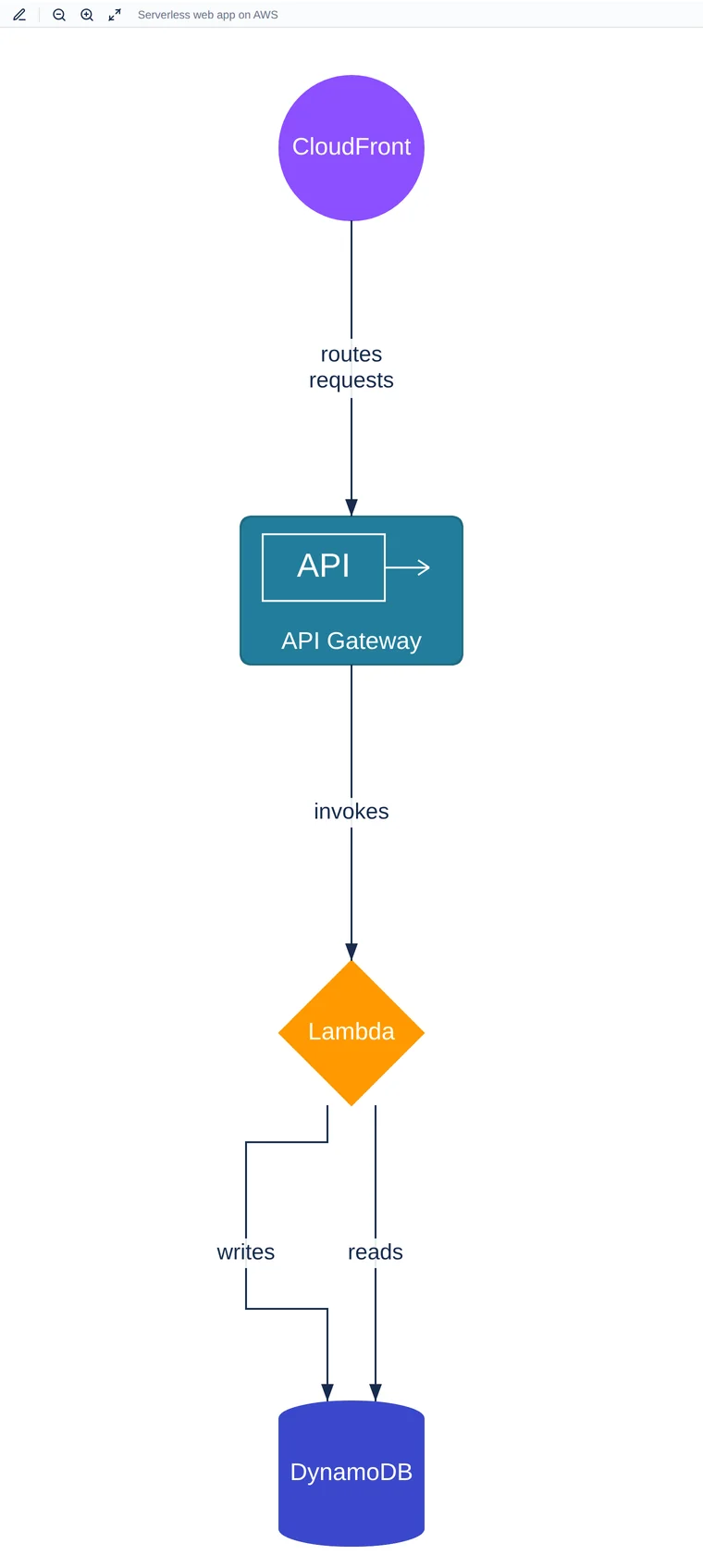
Sources, checked 12 October 2026: diagram.now’s Marketplace listing · Atlassian’s Forge LLMs documentation · draw.io’s AI models page
Made for documentation work
Real public examples
Each example is a public, non-sensitive diagram rendered from an editable diagram—not a generic product mockup.
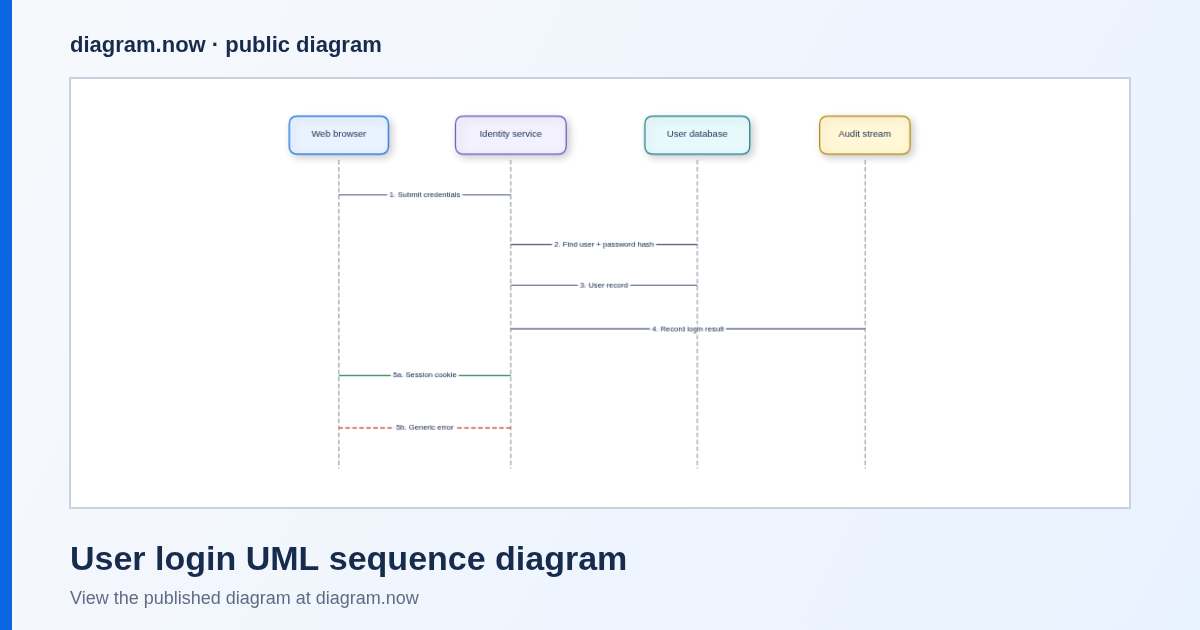
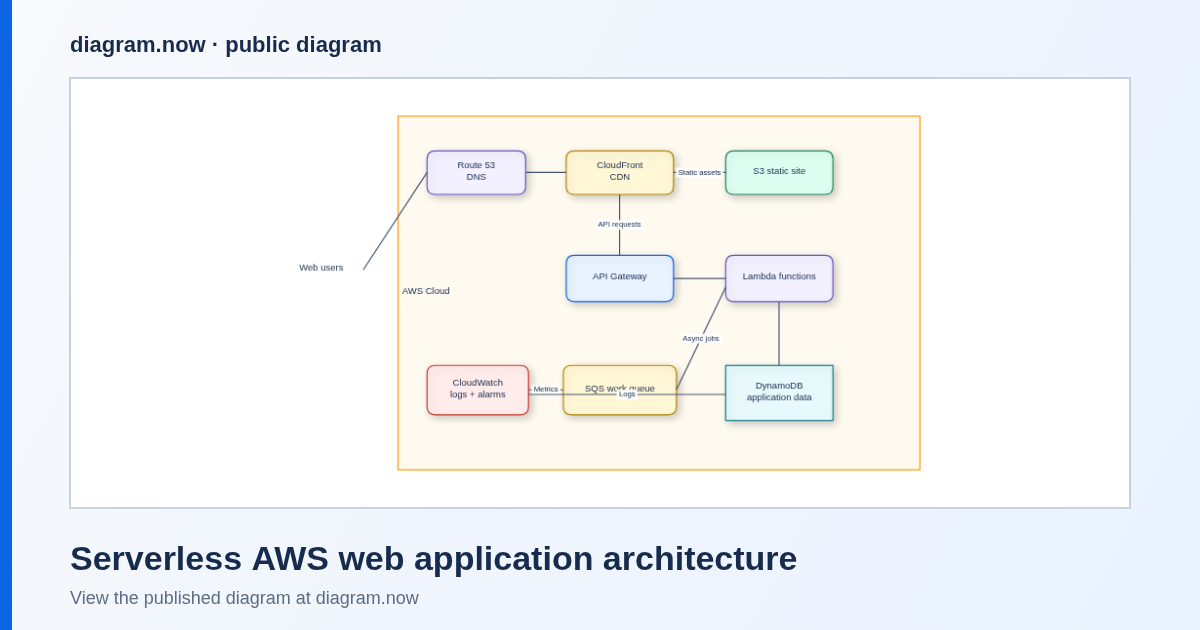
Browse all seven editable examples →
Tested walkthroughs: SQL to ERD · process to flowchart · architecture diagram onto a Confluence page
Straight answers
Yes for Confluence Cloud sites with up to 10 users. Atlassian Marketplace shows the current price for larger sites.
Yes. The browser editor and public examples open without a Confluence installation.
Flowcharts, UML, BPMN, ERDs, cloud and network architecture, mind maps, org charts, and wireframes are all available.
Yes. The separate Data Center migration guide remains available for that narrower migration task.
Open the editor now, then install the Confluence app when the workflow fits your team.